
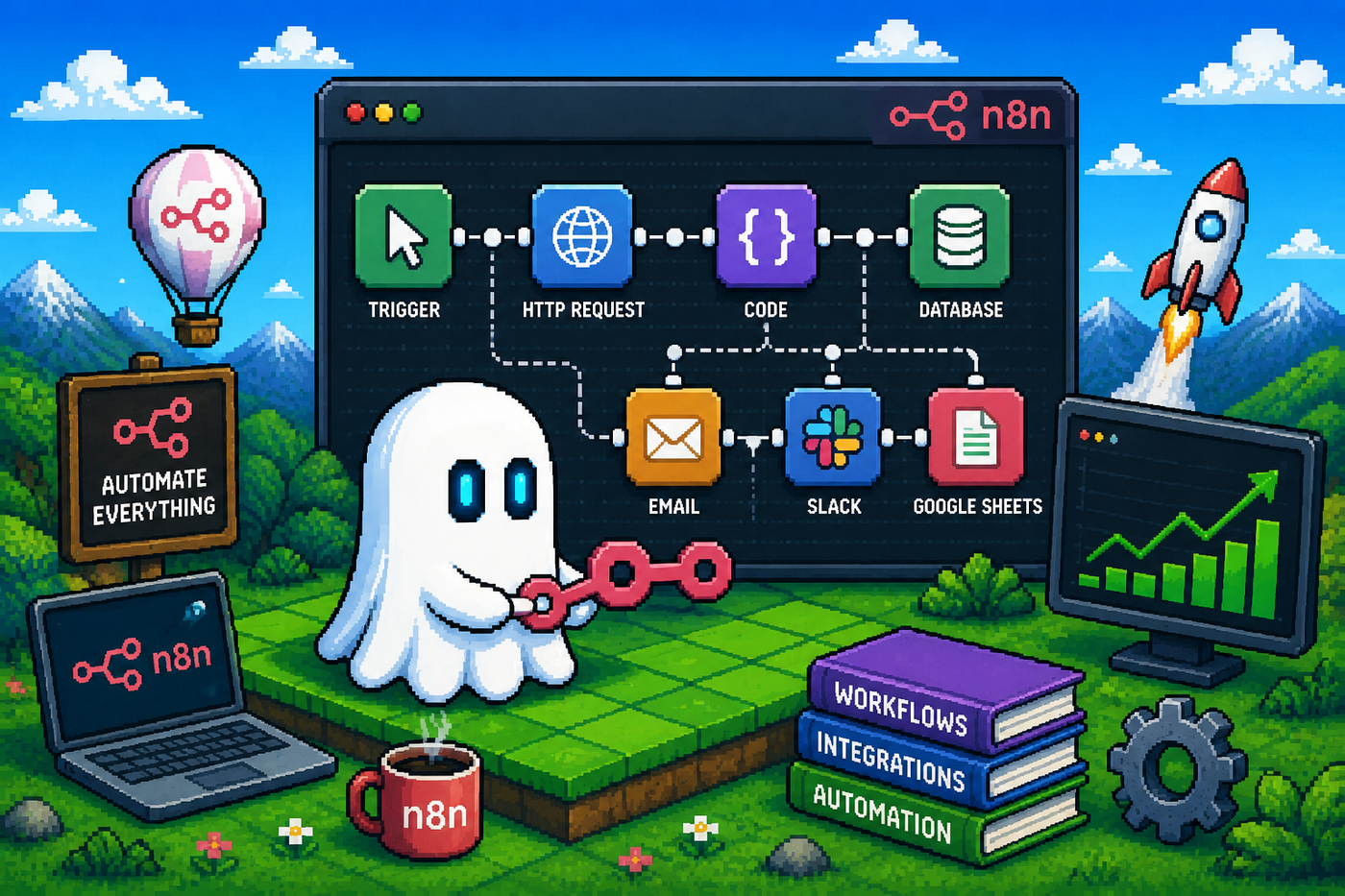
Mastering Workflow Automation with n8n: A Complete Guide for Smarter Business Processes
Businesses today rely on dozens of applications to manage operations, marketing, customer support, analytics, and sales. While these tools improve productivity, they also create repetitive manual work, from copying customer information between platforms to sending notifications and updating databases. Over time, these repetitive tasks slow teams down and increase the risk of human error.
Workflow automation solves this challenge by connecting your applications and allowing them to communicate automatically. Among the many automation platforms available today, n8n has emerged as one of the most flexible solutions for developers, marketers, and businesses looking to automate complex workflows without sacrificing control.
Whether you're building internal business automations, integrating AI into your workflow, or connecting multiple APIs, n8n provides a powerful visual environment to automate repetitive tasks and improve operational efficiency.
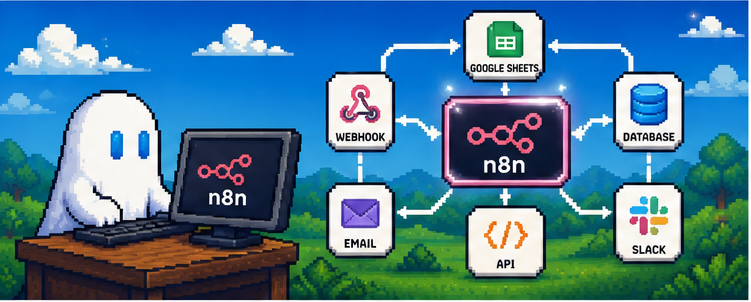
Image: n8n Workflow Overview
What is n8n?
n8n is an open-source workflow automation platform that allows users to connect applications, services, and APIs through a visual, node-based editor. Instead of writing custom scripts for every integration, you can design workflows by connecting nodes that represent different actions, triggers, and services.
Unlike many automation platforms, n8n gives developers complete flexibility through custom JavaScript functions, API requests, conditional logic, loops, and data transformations. This makes it suitable for both simple automations and enterprise-grade workflows.
Organizations can choose between using the cloud-hosted version or self-hosting n8n on their own infrastructure, providing greater control over security, compliance, and sensitive business data.
Why Workflow Automation Matters
Modern businesses interact with hundreds or even thousands of data points every day. Customer inquiries, website forms, CRM updates, invoices, emails, support tickets, and marketing campaigns often require the same information to be entered into multiple systems.
Workflow automation helps organizations reduce manual data entry, eliminate repetitive tasks, improve operational efficiency, and standardize business processes. As businesses continue adopting cloud-native technologies, organizations are increasingly investing in automation to improve scalability, reliability, and operational efficiency, a trend highlighted by the Cloud Native Computing Foundation (CNCF).
Without automation, employees spend valuable time performing repetitive administrative work instead of focusing on higher-value activities.
Workflow automation helps organizations:
- Reduce manual data entry
- Eliminate repetitive tasks
- Improve operational efficiency
- Minimize human errors
- Increase response times
- Standardize business processes
- Scale operations without increasing workload
Instead of replacing employees, automation enables teams to focus on strategic thinking, customer relationships, and creative problem-solving.
How n8n Works
Every workflow in n8n consists of connected nodes that exchange information between different applications and services. This event-driven approach is similar to modern integration platforms, where workflows automate data movement, business logic, and application communication across cloud services, as described in Google Cloud Application Integration.
A workflow usually follows four simple stages:
- Trigger
A workflow begins when an event occurs.
Examples include:
- New form submission
- Incoming email
- New customer registration
- Scheduled time
- API request
- Webhook
- Processing
The workflow transforms, filters, validates, or enriches the data.
Examples include:
- Clean data
- Convert formats
- Check conditions
- Generate AI responses
- Call external APIs
- Action
The processed information is sent to one or more connected services.
Examples:
- Create CRM contact
- Send Slack notification
- Publish blog post
- Update Google Sheets
- Generate invoice
- Send email
- Monitoring
Every execution can be logged, monitored, and improved for reliability.
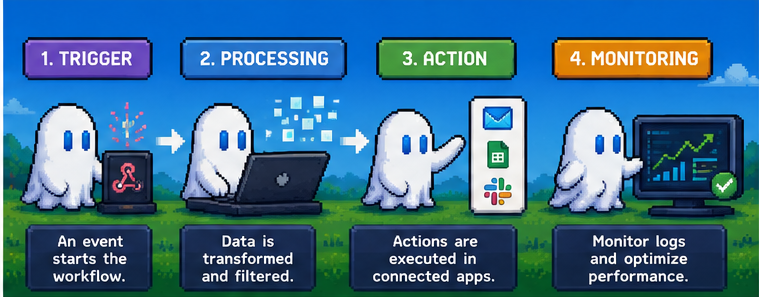
Image: Workflow Lifecycle
Key Features of n8n
One reason n8n has become increasingly popular is its flexibility. Instead of limiting users to predefined templates, it allows highly customized workflows.
Some of its standout features include:
- Visual drag-and-drop workflow builder
- 500+ integrations
- REST API support
- Webhook triggers
- JavaScript code nodes
- AI integrations
- Conditional branching
- Loops and iterations
- Error handling
- Workflow scheduling
- Environment variables
- Self-hosting support
These capabilities make n8n suitable for individuals, startups, agencies, and enterprise teams alike.
Cloud vs Self-Hosted n8n
Cloud | Self-Hosted |
|---|---|
Quick setup | Complete control |
Managed infrastructure | Own your data |
Automatic updates | Custom deployment |
Less maintenance | Greater flexibility |
Subscription pricing | Infrastructure costs |
Best for beginners | Best for developers & enterprises |
Businesses handling sensitive customer information often prefer self-hosting because it offers greater control over security and compliance.
Popular Business Use Cases
Workflow automation can improve nearly every department within an organization.
Marketing
- Lead nurturing
- Email campaigns
- Social media publishing
- Analytics reporting
Sales
- CRM synchronization
- Lead qualification
- Proposal generation
- Follow-up reminders
Customer Support
- Ticket routing
- Customer notifications
- Knowledge base updates
- SLA monitoring
Finance
- Invoice generation
- Payment notifications
- Expense tracking
- Financial reporting
HR
- Employee onboarding
- Document collection
- Leave approval workflows
- Interview scheduling
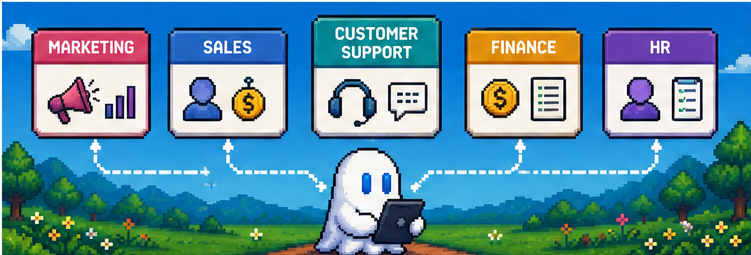
Image: Business Automation Dashboard
Why Businesses Are Choosing n8n in 2026
The rapid adoption of AI has made automation more valuable than ever. Instead of simply moving information between systems, modern workflows can now summarize documents, generate reports, classify customer requests, write emails, and analyze large datasets using AI models.
Combined with traditional workflow automation, these capabilities allow organizations to build intelligent systems that save time while improving consistency and decision-making.
As AI continues to evolve, platforms like n8n are becoming essential tools for businesses looking to automate repetitive work while maintaining flexibility and control.
AI + Workflow Automation: Unlocking Smarter Business Processes
Artificial intelligence has transformed workflow automation from simple task execution into intelligent decision-making. Instead of only moving data between applications, workflows can now analyze customer requests, summarize documents, generate content, classify support tickets, and recommend actions automatically.
By combining AI models with n8n, businesses can build workflows that reduce manual effort while improving speed and accuracy.
For example, an automated customer support workflow can receive a support request, use AI to identify the customer's issue, generate a draft response, notify the support team, and update the CRM—all without human intervention.
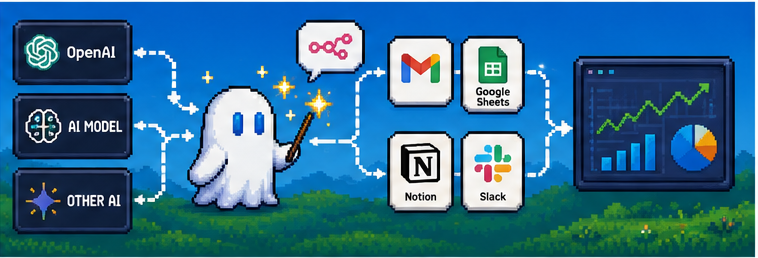
Image: AI-Powered Workflow Automation
Real-World Workflow Examples
One of n8n's biggest strengths is its flexibility. Whether you're a content creator, marketer, developer, or business owner, you can automate repetitive tasks across multiple platforms.
Content Marketing Automation
Instead of manually publishing every article, create a workflow that:
- Receives an approved article
- Optimizes metadata
- Compresses images
- Publishes to your CMS
- Shares the article on social media
- Sends a Slack notification to the marketing team
This saves time while maintaining a consistent publishing schedule.
Customer Support Automation
Support teams receive hundreds of requests every day.
An automated workflow can:
- Capture support emails
- Categorize requests using AI
- Assign tickets to the correct department
- Notify the customer
- Update the CRM
- Generate weekly reports
This improves response times and reduces repetitive administrative work.
Lead Management Automation
Every new lead can automatically trigger a workflow that:
- Stores customer information in the CRM
- Qualifies the lead
- Sends a welcome email
- Assigns a sales representative
- Creates follow-up reminders
- Updates the sales dashboard
Instead of manually entering data, your sales team can immediately focus on building customer relationships.
SEO & Content Workflow
Marketing teams can also automate their SEO process using n8n.
Example workflow:
Keyword Research
↓
Topic Selection
↓
AI Content Brief
↓
Writer Review
↓
SEO Optimization
↓
CMS Publishing
↓
Social Media Sharing
↓
Performance Monitoring
This workflow combines AI with human expertise, making content production faster while maintaining quality.
n8n vs Zapier vs Make
Feature | n8n | Zapier | Make |
|---|---|---|---|
Open Source | ✅ | ❌ | ❌ |
Self-Hosting | ✅ | ❌ | ❌ |
Visual Workflow Builder | ✅ | ✅ | ✅ |
JavaScript Support | ✅ | Limited | Limited |
API Flexibility | Excellent | Good | Very Good |
AI Integrations | Excellent | Good | Very Good |
Enterprise Customization | Excellent | Moderate | Good |
Best For | Developers & Businesses | Beginners | Visual Automation |
If your workflows involve custom APIs, AI models, or sensitive business data, n8n provides greater flexibility than many no-code automation platforms.
Best Practices for Building Reliable Workflows
Successful automation isn't about automating everything. It's about automating the right tasks.
Follow these best practices:
- Start with one simple workflow before building larger systems.
- Test workflows thoroughly before deploying them.
- Add error handling to prevent failed executions.
- Use descriptive names for every node.
- Store API keys securely using environment variables.
- Monitor workflow performance regularly.
- Keep documentation for complex workflows.
- Review AI-generated outputs before sending them to customers.
Small improvements in workflow design can significantly improve reliability over time.
Common Workflow Automation Mistakes
Avoid these common mistakes when building workflows:
- Automating a broken business process instead of improving it first.
- Skipping error handling.
- Ignoring security and API permissions.
- Building overly complex workflows that are difficult to maintain.
- Forgetting to monitor failed executions.
- Publishing AI-generated content without human review.
- Not documenting workflow logic.
Keeping workflows simple and modular makes them easier to maintain and scale.
Frequently Asked Questions
Is n8n suitable for beginners?
Yes. Beginners can create simple workflows using the visual editor, while advanced users can add custom JavaScript and API integrations for more complex automations.
Can n8n connect with AI models?
Yes. n8n integrates with AI services such as OpenAI and other large language models, allowing workflows to summarize content, generate text, classify data, and automate decision-making.
Is self-hosting better than using the cloud version?
It depends on your requirements. Self-hosting offers greater control over security, privacy, and infrastructure, while the cloud version provides a faster setup with less maintenance.
What types of businesses benefit from workflow automation?
Almost every business can benefit from automation, including marketing agencies, SaaS companies, e-commerce stores, financial services, healthcare providers, and customer support teams.
Can n8n replace manual work completely?
No. Automation is most effective for repetitive, rule-based tasks. Strategic decisions, creative work, and customer relationships still require human expertise.
Conclusion
Workflow automation is no longer a competitive advantage; it's becoming a business necessity. Organizations across industries are adopting automation platforms to improve productivity, reduce repetitive work, and streamline business operations. Microsoft's Power Automate documentation also highlights how workflow automation enables teams to build scalable, efficient business processes across connected applications.
n8n provides the flexibility to automate everything from simple notifications to complex business processes involving multiple applications, APIs, and AI models. By reducing repetitive work and improving consistency, teams can spend more time solving problems, serving customers, and driving innovation.
The future of automation isn't about replacing people. It's about empowering them with smarter systems that eliminate repetitive tasks while enhancing productivity and collaboration.