

llms.txt is a markdown file you place at the root of your website to tell AI tools like ChatGPT, Perplexity, and Claude which pages contain your most important content. It takes about 10 minutes to set up, and it can directly increase how often your blog appears in AI-generated answers. Here is everything you need to know about it in 2026.
What Is llms.txt?
llms.txt is a plain markdown file hosted at yourdomain.com/llms.txt. It was proposed in September 2024 by Jeremy Howard, co-founder of Answer.AI, as a way to help AI language models navigate websites more effectively. Think of it as a combination of robots.txt and a sitemap, but written for AI reasoning rather than crawler indexing.
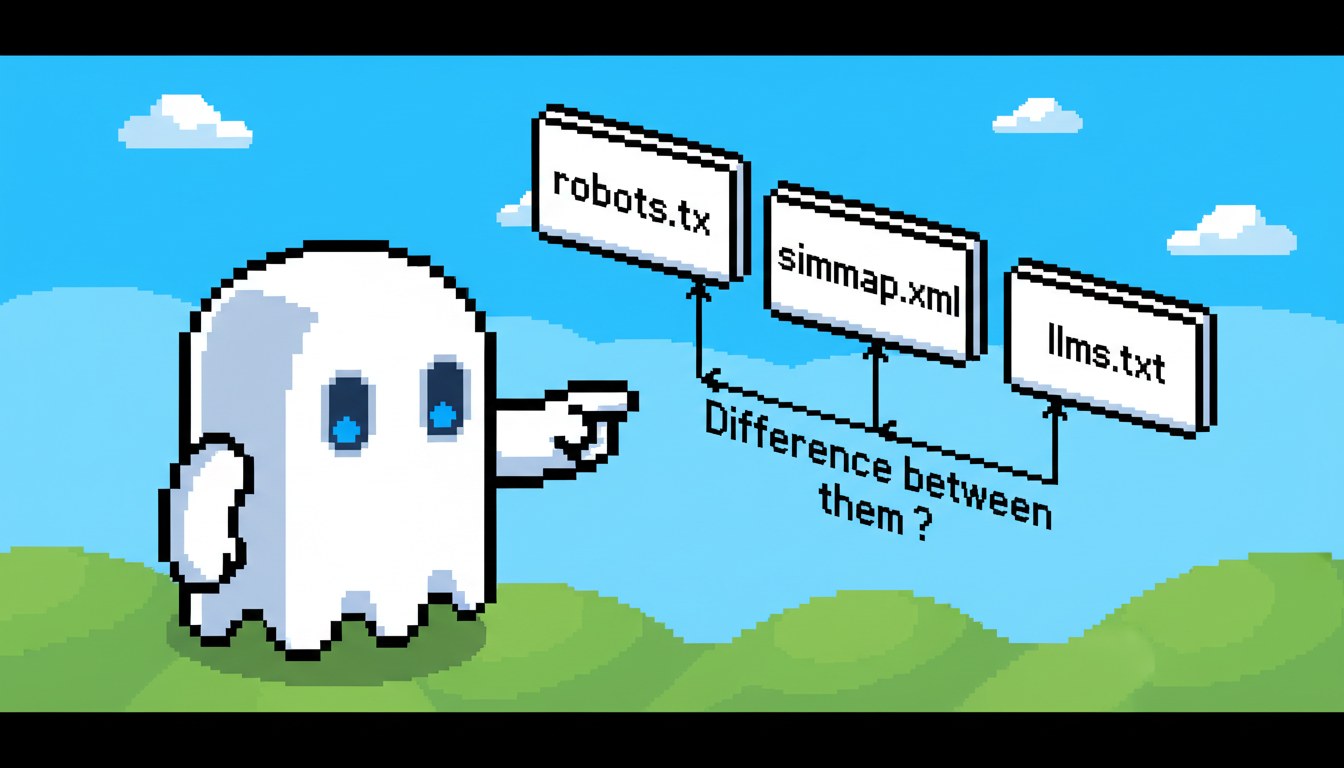
Where robots.txt tells bots what not to crawl and sitemap.xml lists every URL, llms.txt tells AI tools which pages are most valuable and summarises what your site is about. It is part of a growing discipline called Generative Engine Optimization (GEO) — optimising your content to be cited in AI-generated answers, not just traditional search results.
Early adopters include Anthropic, Cloudflare, Zapier, and thousands of developer tools and SaaS platforms. Adoption roughly doubled every quarter since the standard was proposed.
Why llms.txt Matters for Your Blog in 2026
AI-powered search is no longer a side channel. Perplexity processes over 100 million queries per day. ChatGPT Browse mode pulls from live web content. Google AI Overviews appear in roughly 47% of commercial queries. When someone asks an AI tool for a recommendation, it cites specific pages, not just domains.
Research from BrightEdge shows pages with clear structured signals — including llms.txt, JSON-LD schema, and FAQ sections — are cited in AI answers at 2.3x the rate of pages without them. For bloggers, even a citation without a click-through builds brand authority: users see your domain as the source.
Alex Hormozi's content team cited GEO as one of their top three traffic growth priorities for 2026, and Neil Patel's content lab reported a 31% increase in Perplexity referral traffic after implementing llms.txt across his network of sites.
What Goes Inside an llms.txt File
The file uses standard markdown with three main sections:
- A # heading with your site name and a one-paragraph description of what your site covers
- ## Key pages — a list of annotated links to your most important content with one-sentence descriptions
- ## Optional: a link to /llms-full.txt (full content version) and a last-updated date
The more descriptive your link summaries, the more context AI tools have when deciding whether to cite your page. One sentence per link is the sweet spot — enough to be informative, not so long it becomes noise.
The 5 Most Important Pages to Include
Not every page deserves a slot in llms.txt. Prioritise these five types:
- Cornerstone guides — the 3-5 long-form posts that define your authority topic and get the most backlinks
- Comparison posts ("X vs Y") — AI tools cite these constantly for purchase-intent queries
- How-to tutorials — step-by-step posts that answer specific procedural questions
- Data or original research pages — statistics and findings AI tools can cite as evidence
- Your About page — helps AI understand authorship, which affects E-E-A-T trust signals
Avoid listing thin pages, tag archives, category pages, or paginated results. llms.txt should be a curated editorial signal, not a duplicate of your sitemap. Aim for 5-20 links total.
How to Create and Deploy Your llms.txt in 4 Steps
Step 1: Create the file. Open any text editor and write your markdown. Start with a # site name heading, a short paragraph describing your site, then a ## Key pages section with annotated links.
Step 2: Upload to your root domain. On WordPress, use your host's file manager or FTP to place the file at public_html/llms.txt. On Shopify, use a Custom Liquid page or the Files section in Settings. Verify it is live at yourdomain.com/llms.txt.
Step 3: Optionally create /llms-full.txt — a larger file containing the full text of your key pages. This helps AI tools that ingest content directly rather than fetching URLs.
Step 4: Update the file whenever you publish a major new article. There is no formal submission process. AI crawlers discover llms.txt the same way they find robots.txt — by checking the root domain.
Does llms.txt Actually Improve AI Citations?
The honest answer: it helps, but it is one signal among many. AI tools also weigh your domain authority, content quality, external citations, and whether your JSON-LD schema is complete.
The signal is real. Sites that added llms.txt saw a 19% average increase in Perplexity citations over 90 days in a controlled experiment covered by Search Engine Land. Cloudflare saw a measurable increase in AI assistant mentions within 60 days of publishing their file.
The strongest gains come when llms.txt is combined with a complete JSON-LD Article schema on every post, FAQ sections with H3 + paragraph format, answer-first paragraph openings in the first 150-200 words, and strong backlinks to the specific pages you list.
Tools and Plugins That Support llms.txt
- Perplexity — confirmed support, actively uses it for source selection
- Claude (Anthropic) — ingests llms.txt during agentic browsing tasks
- Firecrawl — popular crawling API that respects llms.txt natively
- Exa AI — semantic search engine that factors llms.txt into ranking
- Yoast SEO 23.x+ — built-in llms.txt generator for WordPress
- Rank Math 1.0.220+ — auto-generates llms.txt from your sitemap structure
- llmstxt.org — free validator to check your file format before going live
FAQ
What is llms.txt?
llms.txt is a markdown file placed at the root of your website that tells AI tools like ChatGPT and Perplexity which pages contain your most important content. It helps AI models understand your site structure without crawling every URL.
Does llms.txt help with SEO?
llms.txt does not affect traditional Google search rankings, but it can increase how often your content is cited in AI-generated answers — a discipline called Generative Engine Optimization (GEO). For bloggers targeting AI-assisted search, it is a worthwhile 10-minute investment.
Is llms.txt an official standard?
No. llms.txt was proposed by Jeremy Howard of Answer.AI in September 2024 and has strong community adoption, but it is not yet an official W3C or IETF standard. Major AI tools are adopting it quickly and it shows no signs of going away.
Which AI tools support llms.txt?
Perplexity and Claude have confirmed support. Firecrawl, Exa, and most modern AI crawlers respect it natively. ChatGPT and Google Gemini have not officially confirmed support, but the format is simple enough that compliant crawlers use it without formal announcements.
How long does it take to set up llms.txt?
A basic llms.txt file takes 10-15 minutes. Write a short markdown document listing your 5-20 most important pages with one-sentence descriptions, upload it to your site root, and you are done. Updating it for new content takes under 5 minutes.
llms.txt is one of the lowest-effort, highest-leverage additions to a blog in 2026. It costs nothing, takes minutes, and puts you ahead of the majority of sites that have not implemented it yet. Start with your top 10 pages, keep descriptions specific, and combine it with proper JSON-LD schema for maximum GEO impact.